



Meet Free Software Foundation Executive Director Zoë Kooyman
Meet Free Software Foundation Executive Director Zoë Kooyman Seth Kenlon Fri, 07/08/2022 – 03:00 1 reader likes this 1 reader likes this The Free Software Foundation (FSF) started promoting the idea of sharing code way back in 1985, and since then it’s defended the rights of computer users and developers. The FSF says that the terms “open” and “closed” are not effective words when classifying...
Check disk usage in Linux
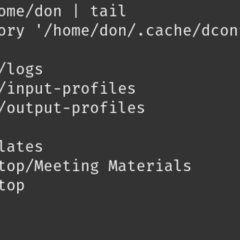
Check disk usage in Linux Don Watkins Thu, 07/07/2022 – 03:00 1 reader likes this 1 reader likes this Knowing how much of your disk is being used by your files is an important consideration, no matter how much storage you have. My laptop has a relatively small 250GB NVME drive. That’s okay most of the time, but I began to explore gaming on Linux a couple of years ago. Installing Steam and a few games can make storage...

3 steps to create an awesome UX in a CLI application
3 steps to create an awesome UX in a CLI application Noaa Barki Wed, 07/06/2022 – 03:00 Register or Login to like Register or Login to like As I was sitting in a meeting room, speaking with one of my teammates, our manager walked in with the rest of the dev team. The door slammed shut and our manager revealed that he had a big announcement. What unfolded before our eyes was the next project we were going to develop—an open...
Why I love Tig for visualizing my Git workflows
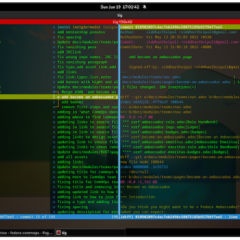
Why I love Tig for visualizing my Git workflows Sumantro Mukherjee Tue, 07/05/2022 – 03:00 Register or Login to like Register or Login to like If you find navigating your Git repositories frustratingly complex, have I got the tool for you. Meet Tig. Tig is an ncurses-based text-mode interface for Git that allows you to browse changes in a Git repository. It also acts as a pager for the output of various Git commands. I use this...
Manage your files in your Linux terminal with ranger
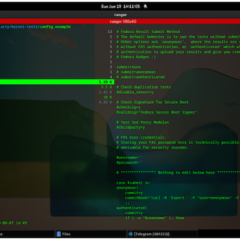
Manage your files in your Linux terminal with ranger Sumantro Mukherjee Mon, 07/04/2022 – 03:00 1 reader likes this 1 reader likes this The most basic way to look at your files and folders is to use the commands ls and ll. But sometimes, I want to see not just the file metadata but also the contents of a file at a glance. For that, I use ranger. If you love working out of your console and using Vim or Vi, and you don’t want to...
Why I switched from Apple Music to Jellyfin and Raspberry Pi
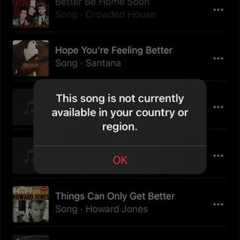
Why I switched from Apple Music to Jellyfin and Raspberry Pi DJ Billings Fri, 07/01/2022 – 03:00 Register or Login to like Register or Login to like One day earlier this year, I looked up a song in my Mac’s music library that’s been there since 2001. I received an error message, “This song is not currently available in your country or region.” I thought this might be just a glitch on my iPhone, so I tried...

